Imagine investing in an excellent e-learning platform, developing outstanding training content, then discovering that your new LMS doesn’t integrate with your existing HRMS, manual enrollment requires hours of data entry, and you cannot track training completion in your HR system.
This isn’t hypothetical. Many Indian organizations implement learning management systems without adequately planning integration with existing enterprise systems—resulting in siloed training data, duplicate employee records, manual processes that don’t scale, and training initiatives that fail to deliver expected business impact.
Proper LMS integration isn’t technical trivia for IT departments. It’s strategic foundation determining whether your training platform becomes central to organizational success or remains disconnected from core business operations.
For Indian enterprises managing thousands of employees across multiple locations, proper LMS architecture and integration determines whether training operations run efficiently or devolve into manual chaos. This guide explains critical integration considerations and best practices for successful LMS implementation in Indian organizational contexts.
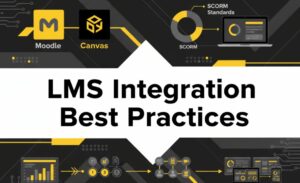
Understanding LMS Platforms: Moodle, Canvas, and Beyond
Moodle: Open-Source Flexibility and Cost-Effectiveness
Moodle remains the world’s most widely deployed LMS, particularly popular among Indian organizations prioritizing cost-effectiveness and customization flexibility. As open-source software, Moodle requires no licensing fees (only hosting and support costs), making it attractive for budget-conscious organizations.
Moodle Strengths:
- Low total cost of ownership (hosting typically ₹5,000-₹15,000 monthly)
- Highly customizable—extensive plugin ecosystem allows significant functionality without custom development
- Strong community support and extensive documentation
- Excellent SCORM compliance for integrating third-party courses
- Suitable for organizations needing deep customization
Moodle Challenges:
- Requires technical expertise for maintenance and customization
- Interface design less polished than commercial alternatives
- Limited pre-built integrations; custom development often required
- Support comes through community forums rather than dedicated vendor support
Best For: Educational institutions, mid-sized organizations, technically capable IT departments, organizations prioritizing customization and cost control
Canvas: User-Friendly SaaS with Strong Enterprise Features
Canvas represents modern, cloud-based LMS approach. Developed by Instructure, Canvas prioritizes user experience, modern interface, and out-of-the-box integrations.
Canvas Strengths:
- Intuitive, modern interface (users need minimal training)
- Cloud-based deployment (no server management required)
- Robust pre-built integrations with HRMS, video platforms, productivity tools
- Excellent mobile experience
- Strong vendor support with dedicated customer success managers
- Regular platform updates without requiring client-side intervention
Canvas Challenges:
- Higher licensing costs (typically ₹400-₹800 per user annually for enterprise deployment)
- Less customizable than open-source alternatives
- Vendor lock-in—data portability requires planning
Best For: Large enterprises, organizations prioritizing user experience, companies wanting vendor-managed infrastructure, organizations valuing strong customer support
Other Notable Platforms
TalentLMS/Docebo: Strong commercial platforms balancing functionality, usability, and cost. Popular among mid-market Indian organizations.
Cornerstone OnDemand: Enterprise-focused platform with extensive features, analytics, and compliance tracking. Higher cost but comprehensive functionality.
Blackboard Learn: Educational focus but widely used in corporate training. Strong feature set but steeper learning curve.
Critical Integration Considerations for Indian Organizations
1. HRMS Integration: The Foundation
Your LMS must integrate seamlessly with your HR system. Benefits of proper HRMS-LMS integration include:
Automatic User Provisioning: When new employees join, they’re automatically created in the LMS with appropriate roles and access permissions. When employees leave, access is automatically deprovisioned. This eliminates manual data entry errors and ensures no lapsed access to training resources.
Single Sign-On (SSO): Employees access the LMS using the same credentials as their HRMS or corporate email. This simplifies access, improves adoption rates (employees don’t need separate LMS passwords), and strengthens security.
Role-Based Access: Employees are automatically assigned training based on their HRMS role. A new manager receives automatically enrolled in leadership training; a compliance officer automatically receives regulatory training.
Automatic Compliance and Skills Data Synchronization: Training completion, certifications, and assessed skills automatically flow back to HRMS, enabling HR teams to track employee development alongside performance management.
Challenge: Indian organizations often use legacy HRMS systems that were never designed for integration. Some organizations still use decades-old systems with limited API capabilities. Modern integration approaches and middleware solutions can often bridge legacy systems, but planning is essential.
2. SCORM Compliance: The Standard for Interoperability
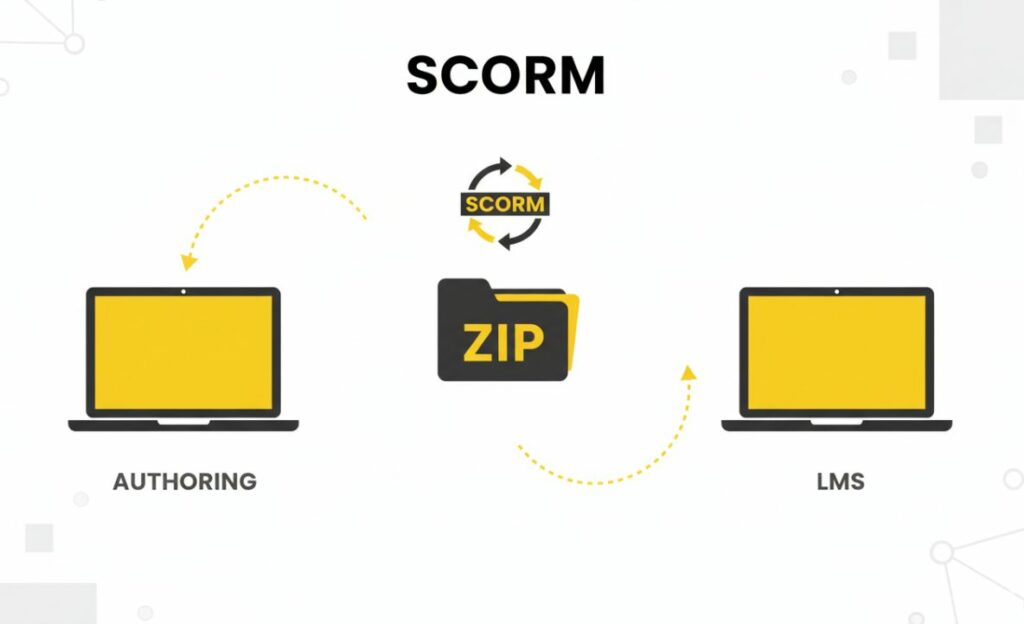
SCORM (Sharable Content Object Reference Model) is the international standard ensuring e-learning content works across different LMS platforms. SCORM compliance ensures:
- Platform Independence: Content created for one LMS can be deployed on another SCORM-compliant platform without reimplementation
- Third-Party Content Integration: You can purchase training from external vendors, confident it will work on your LMS
- Future-Proofing: If you eventually migrate to a different LMS, existing content travels with you
Always ensure your chosen LMS is SCORM 1.2 or SCORM 2004 compliant. For content you develop or purchase, verify SCORM compliance.
3. API and Middleware Capabilities
If your organization has multiple systems beyond HRMS that should communicate with your LMS, ensure the platform has robust API capabilities:
- Learning Records Store (LRS) Integration: xAPI (Experience API) standard allows capturing learning experiences beyond traditional LMS (training on YouTube, mobile learning, offline activities) and aggregating them in a central learning record store
- Finance System Integration: Training costs should link to cost centers; budgeting systems should reflect training investments
- Performance Management Integration: Training completion and assessed competencies should inform performance reviews
- Analytics Integration: Learning data should feed into enterprise analytics platforms for comprehensive workforce intelligence
Modern platforms like Canvas offer pre-built integrations with 1000+ enterprise applications. Legacy platforms may require custom development or middleware solutions.
4. Data Architecture and Scalability
As your organization grows, your LMS must scale without performance degradation:
User Scalability: Can the system handle 5,000 simultaneous users accessing training during mandatory compliance training deadline without slowdowns?
Data Scalability: Can it efficiently store and retrieve learning records for 100,000 employees across multiple years?
Course Scalability: Can it handle thousands of courses without performance issues?
For most mid-to-large Indian organizations, cloud-based solutions (Canvas, SaaS Moodle hosting) provide better scalability than on-premise installations. The infrastructure automatically scales to meet demand.
Best Practices: Implementing Seamless LMS Integration
Phase 1: Pre-Implementation Assessment and Planning (4-6 Weeks)
Document Current Systems:
- Map all existing systems (HRMS, finance, performance management, analytics)
- Identify critical data flows (where does employee information originate? where must training data go?)
- Document system integrations already existing
Define Integration Requirements:
- Which systems must communicate with the LMS? In which directions?
- What data must be exchanged? In what format? At what frequency?
- What security requirements apply? (DPDP Act compliance, encryption, access controls)
Choose the Right Platform:
Consider cost, required customization, integration capabilities, and your IT team’s technical expertise. For technical organizations, Moodle’s customizability may justify the additional complexity. For non-technical organizations, Canvas’s pre-built integrations and vendor support might justify higher licensing costs.
Plan Data Migration:
If migrating from existing LMS or manual training tracking, plan data migration carefully. Decide which historical data to migrate versus archive.
Phase 2: Technical Configuration (6-12 Weeks)
Set Up Core Infrastructure:
- Deploy LMS on chosen platform (cloud or on-premise based on selection)
- Configure security (SSL certificates, firewalls, access controls)
- Configure backup and disaster recovery procedures
Establish System Integrations:
- Develop HRMS integration (API development or middleware if legacy HRMS)
- Configure SSO authentication
- Set up automated user provisioning and de-provisioning
- Test synchronization thoroughly before go-live
Configure SCORM Compliance:
- Ensure platform is SCORM 1.2 and 2004 compliant
- Test third-party content integration
Set Up Reporting and Analytics:
- Design dashboards providing visibility into key metrics (enrollment rates, completion rates, assessment scores, time-to-completion)
- Configure data export capabilities for custom analysis
LMS Integration India | Moodle Canvas SCORM Implementation
Master LMS integration with Moodle, Canvas, and SCORM standards for Indian enterprises. Seamless deployment, integration, and HRMS.
Phase 3: Content and Workflow Configuration (6-12 Weeks)
Organize Course Structure:
- Establish catalogs, categories, and hierarchies aligning with organizational structure
- Define enrollment workflows (automatic enrollment, manager approval, self-enrollment with approval, unrestricted self-enrollment)
Configure Learning Paths and Prerequisites:
- Create learning paths grouping related courses
- Define prerequisites ensuring logical progression
- Set up automatic enrollment in follow-up courses upon completion
Establish Assessment and Certification:
- Configure grading policies
- Define certification eligibility and validity periods
- Set up automated certificate generation and distribution
Configure Notifications and Reminders:
- Set up automatic completion reminders
- Configure deadline notifications
- Establish escalation procedures for non-completion
Phase 4: User Access and Roles
Define User Roles:
- Administrator (manages platform, user accounts, system configuration)
- Instructor/Course Creator (develops and delivers training)
- Manager (tracks direct reports’ training, approves learning requests)
- Learner (accesses training)
Configure Permissions:
- Define what each role can access and modify
- Implement data security ensuring employees see only their training records
Test User Workflows:
- Verify employees can access assigned training
- Confirm managers can view reports on direct reports’ training
- Test all critical paths before full deployment
Phase 5: Pilot and Go-Live (4-8 Weeks)
Pilot with Early Adopters:
- Deploy to select group (typically 5-10% of organization)
- Gather feedback on usability, performance, integration effectiveness
- Address issues before organization-wide rollout
Organization-Wide Rollout:
- Communicate changes to all users
- Provide training on new LMS (particularly managers and administrators)
- Offer support resources (help desk, documentation, video tutorials)
- Monitor closely during first weeks for issues
Post-Go-Live Optimization:
- Address technical issues promptly
- Gather user feedback and iterate on design
- Monitor performance metrics and optimize configurations
Common Integration Challenges and Solutions
Challenge 1: Legacy HRMS Systems with Limited API Capabilities
Solution: Implement middleware solutions (Zapier, MuleSoft, custom integration scripts) that bridge legacy systems and modern LMS platforms. These solutions often cost less than custom development while providing flexibility.
Challenge 2: Data Quality Issues in HRMS
Poor employee data (duplicate records, incomplete information, outdated entries) causes LMS integration failures. Before integrating systems, audit and clean HRMS data. Establish data governance procedures preventing future degradation.
Challenge 3: Complex Organizational Structures
Large, complex organizations (multiple divisions, regions, subsidiaries) struggle with learning path assignments and reporting. Solution: carefully map organizational hierarchy in both HRMS and LMS; use hierarchical reporting ensuring managers see only their scope; test thoroughly with actual organizational structure.
Challenge 4: Change Management Resistance
Employees resist learning new systems. Solution: communicate benefits clearly, provide comprehensive training on new system, offer hands-on support during transition, celebrate early wins showing platform value.
Challenge 5: SCORM Content Compatibility Issues
Some SCORM content doesn’t integrate seamlessly due to variations in implementation. Solution: thoroughly test all SCORM content in your specific LMS before deploying to learners; request vendor support if compatibility issues arise.
Integration Success Metrics
Track these metrics to assess integration effectiveness:
| Metric | Target |
| System Uptime | 99.5%+ |
| HRMS-LMS Synchronization Accuracy | 99%+ |
| SSO Adoption Rate | 95%+ |
| Integration Data Error Rate | <0.5% |
| User Support Tickets Related to Integration | <2% of total support tickets |
| Time from Employee Hire to LMS Access | <2 hours |
| Time from Course Completion to HR System Sync | <1 hour |
Conclusion: Integration as Competitive Foundation
An outstanding LMS with poor integration is like an excellent vehicle with unreliable transmission—technically sophisticated but operationally ineffective. Conversely, a simpler LMS with seamless integration becomes strategic asset driving organizational success.
For Indian organizations implementing LMS, integration success determines whether training becomes central to HR operations or remains disconnected side project. Organizations that master LMS integration dramatically improve training efficiency, ensure compliance, and make data-driven decisions about workforce development.
The good news: proven best practices and modern platforms make seamless LMS integration achievable. The key is planning thoroughly, choosing the right platform for your specific organizational needs, and implementing methodically.
Ready to deploy an LMS that truly integrates with your operations? Garage Productions specializes in LMS integration for Indian enterprises. We assess your current systems, recommend platform choices aligned with your organizational needs, oversee technical implementation, and ensure seamless integration with your HRMS, finance, and analytics systems. Let’s discuss how we can make your LMS a centerpiece of your organizational success rather than disconnected system.